Prepare a storage medium, usually a disk, for reading and writing. When you format a disk, the operating system erases all bookkeeping information on the disk, tests the disk to make sure all sectors are reliable, marks bad sectors (that is, those that are scratched), and creates internal address tables that it later uses to locate information. You must format a disk before you can use it.
Note that reformatting a disk does not erase the data on the disk, only the data on the address tables. Do not be panic, however, if you accidentally reformat a disk that has useful data. A computer specialist should be able to recover most, if not all, of the information on the disk. You can also buy programs that enable you to recover a disk yourself.
The previous discussion, however, applies only to high-level formats, the type of formats that most users execute. In addition, hard disks have a low-level format, which sets certain properties of the disk such as the interleave factor. The low-level format also determines what type of disk controller can access the disk (e.g., RLL or MFM).
Almost all hard disks that you purchase have already had a low-level format. It is not necessary, therefore, to perform a low-level format yourself unless you want to change the interleave factor or make the disk accessible by a different type of disk controller. Performing a low-level format erases all data on the disk.
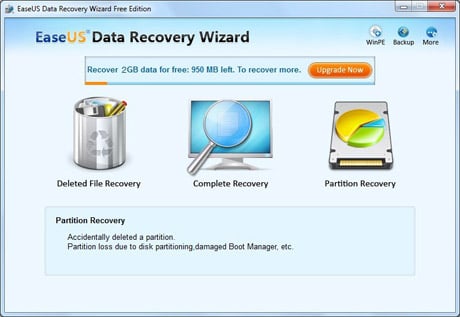
The Complete Recovery Module is designed for unformat data recovery from formatted partition, crashed file system without drive letters.
First of all, select the file types you want to recover and then you will see a list of all the partitions found from all your Hard Disk. All of your partitions are arrayed by the drive letters. For each one listed here, the Data Recovery Wizard Free Edition displays a number of statistics, including the volume label, the type of file system, the capacity, and its information. Once you have identified the partition from which you want to recover data, select the partition and then press "NEXT" to begin "Intelligent Searching". (If you are familiar with file system details, you can change "Option" before pressing the "NEXT" button).
The Intelligent Searching will scan the selected partition, collect and analyze every byte on the partition, then show you a list of partitions possible on it. In default state, the partition that was suggested in High was chosen. And the others are not chosen. This will give you a good idea that which partition will yield the best results. Select the file or directory that you want to recover and press the "Next" button, you will have your lost file recovered from formatted partitions within minutes.